
Todo task
To-Dos in Tascord
To-dos in Tascord are most similar to digital sticky notes, with the difference that you receive a reminder at a time you set.
Once you receive the notification about the task, you can freely reschedule it for a later time in the short term. Besides that, you won’t receive multiple notifications for the same To-do.
When is a To-Do Useful in Tascord?
To-dos are most useful when it’s a small but important matter that you might easily forget during your daily tasks or while working.
These tasks usually don’t take much time to complete, or they might just be a small detour on your way home. Nevertheless, forgetting them can have annoying consequences.
Real-life examples of when to use To-dos:
- Calls and callbacks: you need to call someone, but not immediately.
- Paying bills: you need to stop by the post office or simply find 5 free minutes to do it online.
- Shopping: during the day, or even the day before, you realize you need to get something important, but you can’t make it to the store.
- Housework: taking something out of the freezer, taking out the trash, starting the washing machine (or hanging laundry).
TIP: Free your mind from unnecessary mental lists. Many people tend to repeatedly recall tasks in their head to avoid forgetting them. This unnecessarily burdens the mind, increases stress, and reduces concentration.
How Does Rescheduling a To-Do Work?
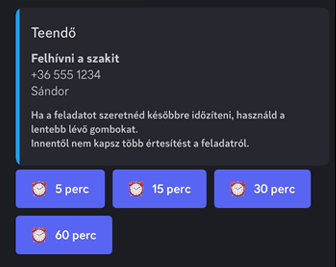
When you receive a notification for your task, you don’t have to respond immediately. You can postpone the To-do from the notification itself (whether it’s on Discord or email).
Options: 5, 15, 30, 45, or 60 minutes.
You can reschedule the task within a maximum of 60 minutes from the notification; otherwise, you will need to create it as a new To-do.
To-Dos on Discord
You can receive notifications about your To-dos via private messages on Discord, where you can manage the task easily with buttons.
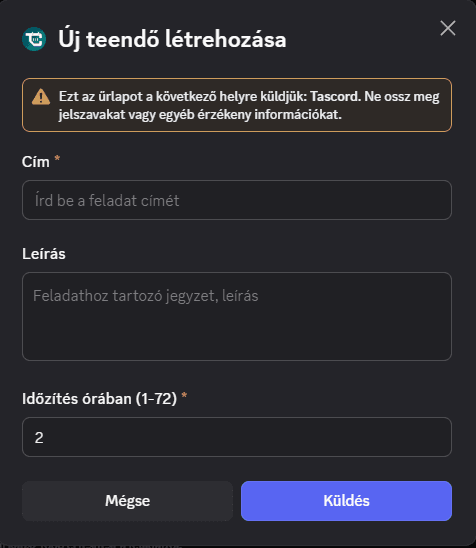
If Discord is more convenient for you, you don’t need to access the browser—you can create To-dos using commands. Compared to the browser interface, this is a simplified version, where you can schedule a task up to 72 hours in advance.
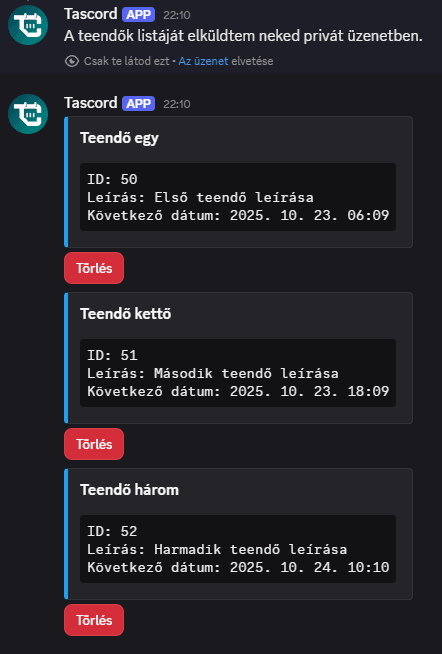
You can also list and delete To-dos on Discord via private messages using commands.
To-Dos via Email
You can also receive notifications for your To-dos at the email address you registered, where, similar to Discord, you can manage the task with buttons.
Why Should You Use To-Dos?
To-dos in Tascord are like having an assistant who reminds you on time, just like a companion.
- Quickly and easily manage scheduled tasks.
- Easily use them via Discord.
- Receive notifications via email if you prefer.
- Reduce the mental list in your head, allowing you to focus only on what really matters.
You might also like
Notified on Discord
Get task and habit reminders straight to your Discord DMs. Complete or manage tasks directly in Discord, just as you would anywhere else.
Read moreNotified by Email
Get task and habit reminders straight to your inbox. Complete or postpone tasks directly from your email.
Read moreWeekly task
Schedule a weekly task for any day of the week. If you don’t complete it, Tascord reminds you every 30 minutes until it’s done or the day ends.
Read moreMonthly task
Schedule a monthly task for any day of the month. If you don’t complete it, Tascord reminds you every 30 minutes until it’s done or the day ends.
Read more